
If you’re searching for the best competitive keyboard settings, you’re likely looking for every possible edge—faster inputs, cleaner movement, and total control in high-pressure moments. In competitive gaming, small adjustments to actuation points, key binds, repeat delay, and polling rates can mean the difference between a clutch win and a missed opportunity.
This guide is built to help you optimize your keyboard for peak performance. We break down the settings that actually impact gameplay, explain how they affect reaction time and consistency, and show you how to tailor them to different genres—from tactical shooters to fast-paced battle royales.
Our recommendations are based on hands-on testing across popular competitive titles, analysis of pro player configurations, and real-world performance benchmarks. Instead of generic advice, you’ll get practical, tested insights you can apply immediately.
By the end, you’ll know exactly how to configure your keyboard for faster response, better precision, and a setup that supports your playstyle at the highest level.
Unlocking Your Apex Performance: The Science of Keyboard Optimization
Most gamers stick with factory layouts, but defaults quietly cap your reaction ceiling. In competitive play, milliseconds matter. So, start by auditing your competitive keyboard settings and remap high-frequency actions closer to natural finger positions. Next, choose mechanical switches—linear for rapid actuation, tactile for feedback control. Esports pros fine-tune actuation points through firmware, shaving input delay (yes, it’s that precise).
What comes next? Test changes in aim trainers, track error rates, and iterate. Pro tip: adjust one variable at a time. Ultimately, optimization turns hardware into a strategic advantage. Stay curious.
Beyond WASD: The Philosophy of High-Efficiency Key Rebinding
Default keybinds are relics of earlier design eras. When you press R to reload or G for grenade, your index finger leaves the safety of WASD, the core movement cluster. That travel time—often milliseconds—can decide a duel, especially in twitch shooters. Critics argue that muscle memory matters more than layout, and they’re not wrong. However, efficiency compounds, and small savings stack up over hundreds of fights.
The “Action Cluster” principle reframes your keyboard as a hot zone: place high-frequency actions within one key of movement. In practice, that means minimizing finger travel distance—literally the centimeters your hand moves. Think of it like optimizing pit stops in Formula 1; every fraction counts.
Practical rebinding strategies:
- Move Use/Interact from F to a mouse side button or E.
- Assign Crouch and Jump to mouse buttons to enable complex movement while maintaining aim.
- Shift less-frequent but important actions like Map or Inventory to Caps Lock or Tab.
In Apex Legends, compare the default layout—reload on R, armor swap buried in menus—to an optimized Action Cluster with armor on a thumb button. The latter enables instant swaps mid-strafe, which can flip a fight.
Looking ahead, I speculate that future esports metas will normalize personalized competitive keyboard settings, with developers even designing around customizable clusters. After all, as players chase marginal gains, the keyboard itself becomes a strategic weapon. That shift could redefine mechanical skill as layout intelligence rather than raw reaction speed alone. Time will tell.
Mechanical Switches: Matching Hardware to Your Reflexes
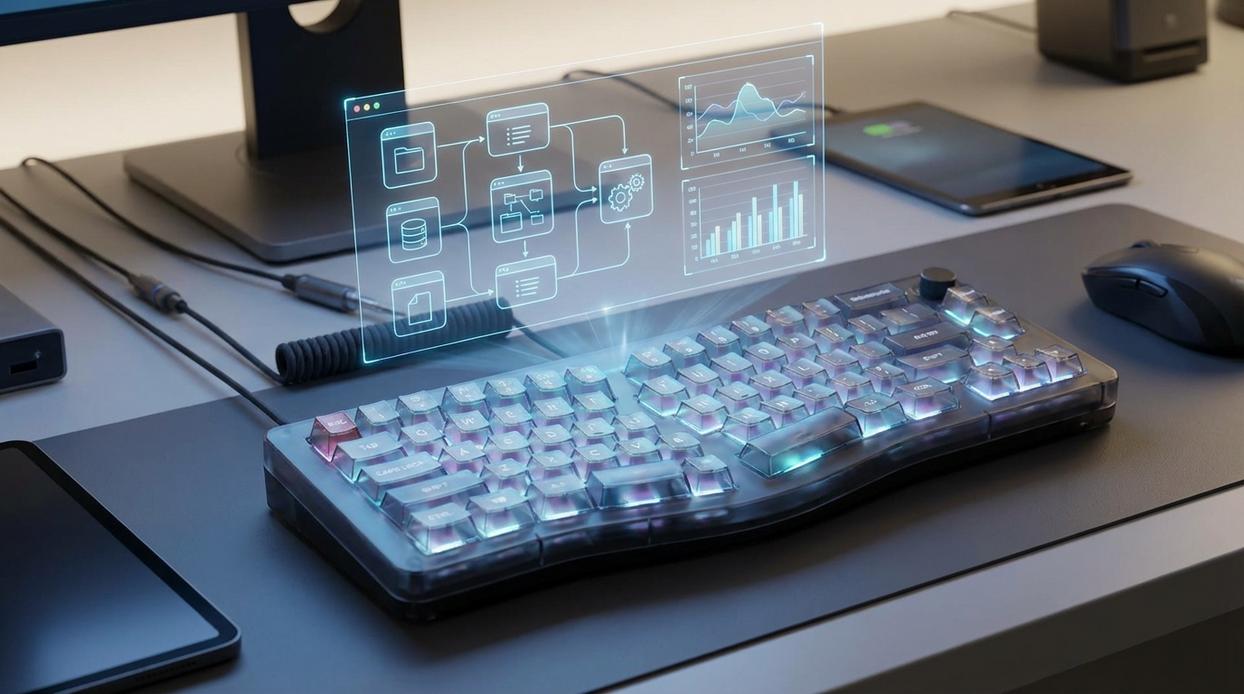
Mechanical switches aren’t just a preference—they’re a performance variable. In competitive play, actuation force (the pressure required to register a keypress) and reset point (where a key becomes ready to actuate again) directly shape how fast you move, strafe, or combo.
Linear Switches: Speed Without Resistance
Linear switches like Cherry MX Red or Speed Silver travel straight down with no tactile bump. That smooth motion reduces friction, making rapid strafing, stutter-stepping, and double-tapping feel effortless. In FPS titles, where micro-adjustments decide gunfights, less resistance means faster repeated inputs.
Some argue linears are “too sensitive” and cause accidental presses. Fair. However, with tuned competitive keyboard settings, that sensitivity becomes precision—especially when paired with optimized monitor settings that improve reaction time.
Tactile Switches: Feedback for Ability Control
Tactile switches like Cherry MX Brown include a noticeable bump at the actuation point. That bump provides physical confirmation an ability triggered—crucial in MOBAs or MMOs where a mis-click wastes a cooldown (and possibly the match).
Best use cases:
- Confirming skill activations
- Managing long cooldown rotations
- Reducing accidental double inputs
Critics say tactile bumps slow reaction speed. Technically, yes—slightly. But for macro-heavy gameplay, confirmation can outweigh raw speed.
Optical & Hall Effect: The Next Generation
Now consider optical and Hall Effect switches. These use light or magnetic sensors instead of metal contacts, enabling adjustable actuation points and features like Rapid Trigger—which resets keys instantly based on movement rather than fixed distance. The benefit? Faster re-peeks, tighter rhythm inputs, and cleaner movement chains.
In short, your switch isn’t cosmetic. It’s calibrated to your reflexes.
Firmware and Software: The Unseen Competitive Edge
Input latency sounds technical, but it’s simply the delay between a keypress and the action on screen. Two terms matter: polling rate and scan rate. Polling rate measures how often your keyboard reports input to your PC—1000Hz means 1,000 times per second, while 8000Hz pushes that to 8,000. Higher reduces delay, but only if your system can handle it. Scan rate is how fast the keyboard checks each switch. My recommendation: set competitive keyboard settings to 1000Hz unless you’re certain 8000Hz won’t tax performance.
Macros sit on a fine line. A simple, ethical macro for buy binds in CS:GO saves time without playing the game for you. That’s efficiency. But automating recoil control or complex combos crosses into cheating. If it replaces skill, don’t use it.
Onboard memory is underrated. Keyboards that store profiles internally keep your DPI, lighting, and keybinds anywhere—even at LAN tournaments. No software, no excuses. I strongly recommend enabling it and backing up one tournament-ready profile.
Finally, disable the Windows key. One accidental press can cost a round. It’s a tiny tweak, but in clutch moments, tiny tweaks win.
Treat firmware updates as mandatory, not optional. Before tournaments.
Physical Optimization: Ergonomics for Endurance and Speed
Form factor matters. Smaller boards like TKL, 75%, and 60% free up desk space, giving you mouse arcs for low-sensitivity aiming. In turn, that translates to flicks and less shoulder strain during marathon sessions.
Meanwhile, keycap profile and texture refine accuracy. Cherry profiles sit lower than OEM, reducing finger travel, while PBT offers better grip than ABS, helping prevent missed presses.
Finally, the angled keyboard trend isn’t just aesthetic. Tilting aligns wrists and pulls keys closer to your mouse hand, boosting comfort and consistency. Think of it as fine-tuning your competitive keyboard settings.
Building your ultimate configuration is not about copying a pro’s layout; it’s about engineering a system around you. Default settings cap your ceiling because they ignore reaction time, hand size, and cognitive load (yes, that split-second matters). Many guides stop at basic competitive keyboard settings, but few explain why micro-adjustments compound over months of practice.
Start with the Action Cluster and change one bind. Test for a week. Track misclicks, fatigue, and speed.
- Refine hardware placement.
- Tune actuation and debounce.
Pro tip: log results after every session.
Iteration builds consistency, and consistency builds wins. Over time, mastery compounds.
To maximize your performance in high-stakes matches, consider exploring the best keyboard configurations tailored for competitive gaming, especially in light of the recent enhancements discussed in our article on the new version update for Etsjavaapp – for more details, check out our New Version Update Etsjavaapp.
Level Up Your Gameplay Today
You came here to master the details that separate casual play from consistent wins—and now you understand how optimizing your setup, refining mechanics, and dialing in your competitive keyboard settings can directly impact reaction time, accuracy, and overall performance.
The difference between clutch victories and frustrating losses often comes down to milliseconds and misinputs. When your controls feel off or inconsistent, your skill can’t fully shine. That pain of knowing you could have won is exactly what proper optimization eliminates.
Now it’s time to act. Fine-tune your settings, test your adjustments in real matches, and commit to practicing with a setup built for precision. Join thousands of serious players who trust our in-depth gaming insights to sharpen their edge. Don’t let preventable mistakes hold you back—optimize your gear, refine your mechanics, and start winning more today.
 Founder & Creative Director
Nathor Quenthos writes the kind of esports team insights content that people actually send to each other. Not because it's flashy or controversial, but because it's the sort of thing where you read it and immediately think of three people who need to see it. Nathor has a talent for identifying the questions that a lot of people have but haven't quite figured out how to articulate yet — and then answering them properly.
They covers a lot of ground: Esports Team Insights, Gaming Gear Optimization Tips, Pro Perspectives, and plenty of adjacent territory that doesn't always get treated with the same seriousness. The consistency across all of it is a certain kind of respect for the reader. Nathor doesn't assume people are stupid, and they doesn't assume they know everything either. They writes for someone who is genuinely trying to figure something out — because that's usually who's actually reading. That assumption shapes everything from how they structures an explanation to how much background they includes before getting to the point.
Beyond the practical stuff, there's something in Nathor's writing that reflects a real investment in the subject — not performed enthusiasm, but the kind of sustained interest that produces insight over time. They has been paying attention to esports team insights long enough that they notices things a more casual observer would miss. That depth shows up in the work in ways that are hard to fake.
Founder & Creative Director
Nathor Quenthos writes the kind of esports team insights content that people actually send to each other. Not because it's flashy or controversial, but because it's the sort of thing where you read it and immediately think of three people who need to see it. Nathor has a talent for identifying the questions that a lot of people have but haven't quite figured out how to articulate yet — and then answering them properly.
They covers a lot of ground: Esports Team Insights, Gaming Gear Optimization Tips, Pro Perspectives, and plenty of adjacent territory that doesn't always get treated with the same seriousness. The consistency across all of it is a certain kind of respect for the reader. Nathor doesn't assume people are stupid, and they doesn't assume they know everything either. They writes for someone who is genuinely trying to figure something out — because that's usually who's actually reading. That assumption shapes everything from how they structures an explanation to how much background they includes before getting to the point.
Beyond the practical stuff, there's something in Nathor's writing that reflects a real investment in the subject — not performed enthusiasm, but the kind of sustained interest that produces insight over time. They has been paying attention to esports team insights long enough that they notices things a more casual observer would miss. That depth shows up in the work in ways that are hard to fake.